When you click on links to various merchants on this site and make a purchase, this can result in this site earning a commission. Affiliate programs and affiliations include, but are not limited to, the eBay Partner Network.
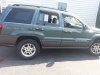
Not my Jeep, (my mother's). She got it a couple years ago and has had good luck so far. Recently she started getting a message on the screen that says "Vehicle Phone requires service". Once it clears after like 5 seconds, everything functions fine. The dealer wanted $155 to diagnose the problem, (seemed high to me). Has anyone ever run into this issue before?
That price is close to what many dealers charge, it’s less than some. If everything works after a few seconds of the warning, perhaps she can choose to ignore the screen.
That has been what she has been doing. I think it has to do with the 911 system, which I don't think she will ever use.
I just did a U connect update yesterday, and after doing it, the radio would not shut off, even after getting out and locking the vehicle, the radio would continue to play. So I disconnected the battery and let it sit for 15 minutes. Reconnected it and then went back to normal. Then this morning, it threw a check engine light, 4wd unavailable message. Hooked up the scanner, cleared the code, and it went away.
It's a 2014 Latitude, 3.2 v6, AD2, Towing and cooling package, with the 8.4 stereo, no navigation. It was purchased new, still has the original battery. I load tested it just recently and it tested good. Although I will probably replace it before next winter (Nov 2020).
I just did a U connect update yesterday, and after doing it, the radio would not shut off, even after getting out and locking the vehicle, the radio would continue to play.
Was is still doing the update? How long did you wait? The u-connect update will start and run for several minutes, even after turning the vehicle off. I haven't done mine yet, but some people reported the updates taking as long at 20-minutes. Disconnecting the battery mid-upgrade risks bricking the radio.
The instructions with the update state:
"Do not turn off the ignition, restart the vehicle, or remove the USB flash drive until the process has successfully completed. The Uconnect system may become inoperative if the update is interrupted."
There is also a step at the end of turning off the vehicle, opening/closing the door, and waiting 60-seconds.
Last edited by lawsoncl; Dec 14, 2019 at 11:29 AM.
You prompted me to go install my update. First thing I figured out after plugging the USB in and nothing happening, was that tt takes a few minutes after sticking the USB in until it the prompt shows up. The first update attempt took almost 20-minutes to run through. It finished and aid 100% but then popped up a "Sierra Script" error. After it rebooted, it prompted me to insert the USB again. Another 20-minutes and it succeeded. I wen from version 17.11.17 to 18.45.01. There's a few more options in the menu I'll probably never use, now like Yelp now.
I was still in the menus with the radio playing in the background, and it was trying to connect to Uconnect when I turned the engine off and opened the door. The radio stayed on until the Uconnect timed out trying to connect and I exited the settings menu. I also had a prompt that the radio would take a few minutes to validating the install in the background, so perhaps your radio was still working on that?
Too bad the USB is read-only. I wouldn't have minded having another really small an 8-gig usb.
When I did the update, I had gone all the way through according to the instructions. The Update was completed and I had turned the truck off and on as per the instructions. I then drove the truck around the block a couple times and noticed that when I got home, I shut off the car and opened the door, but instead of shutting off like it usually would, the radio stayed on, even after closing the door and locking it via the remote. I tried restarting and shutting off, did the same thing. I let it play for about 15 minutes or so without shutting off before I decided to disconnect the battery. I didn’t want to risk it being on all night and drain the battery.
That did the trick. After reconnecting and starting the truck, everything behaved as normal. So far so good.
My mother ran an errand today. She got to the store, came back out a few minutes later, and put the key in. Nothing.
Turns out that even after jumping and starting a KL, once you disconnect the jumper cables, it will die. I had to leave the truck at the store, and go back later with a battery.
I ended up getting a Champion H7 AGM at PepBoys. Seems to work just fine now.
The "Vehicle Phone" is simply the cellular connection for the U Connect Access, as well as the ASSIST, and 9-1-1 buttons on the rearview mirror. If you don't use those services, Bluetooth should continue to work without the 3G connection. Not sure how to get rid of the message, however, so that may persist. 3G CDMA is being phased out next year I believe, so your Sprint-provided 3G CDMA cellular connection won't work after next year anyways.



 Vehicle Phone requires service