new ,, new mexico!


Thread Starter
Junior Member
Joined: Jun 2010
Posts: 59
Likes: 0
From: new mexico
Model: Cherokee
Engine: 4 banger
 new ,, new mexico!
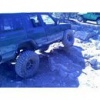
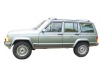
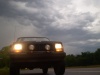
just purchased my first jeep! 85 2 dr 4 banger!! faded blue with cherokee cheif decals!! .. i bought it from an old man it was sitting for 8 yrs, he could never figure out why it would flood, well i purchased it for 300.00 installed a fuel reg, and it runs great, i just put a 3.5 rubicon lift and some used 30s'for now

Thread Starter
Junior Member
Joined: Jun 2010
Posts: 59
Likes: 0
From: new mexico
Model: Cherokee
Engine: 4 banger
Im from santa fe, but live in a small town near taos.. great trails , btw is it illigal to not have doors,, i am saving to purchase the warrior doors, but really hate having the doors on now,

Honorary Moderator
Joined: Mar 2010
Posts: 8,135
Likes: 16
From: Gilbert AZ/Las Cruces NM
Year: 1996
Model: Cherokee
Engine: 4.0 upgraded
Post pictures

It is beautiful country up there. I spent a bit of time up at Philmont scout ranch.
Thread Starter
Junior Member
Joined: Jun 2010
Posts: 59
Likes: 0
From: new mexico
Model: Cherokee
Engine: 4 banger
Trending Topics
Honorary Moderator
Joined: Mar 2010
Posts: 8,135
Likes: 16
From: Gilbert AZ/Las Cruces NM
Year: 1996
Model: Cherokee
Engine: 4.0 upgraded
Thread Starter
Junior Member
Joined: Jun 2010
Posts: 59
Likes: 0
From: new mexico
Model: Cherokee
Engine: 4 banger
good to meet everyone, so my first question ,, is , how can i possibly get any more power from that 4 cyl that i have,,, its pretty tough getting up any hill on the highway!
CF Veteran
Joined: May 2008
Posts: 2,495
Likes: 3
From: Edmond, OK
Year: 1993
Model: Cherokee
Engine: 4.0 ltr
Nano...
There are two ways to post pictures. You can either down load them from your computer: When you post a reply, scroll down a bit to Additional Options, you should see Manage Attachments. When you click that another box should pop up, then you will click browse and find the picture on your hard drive.
The 2nd way is to load your pictures online to a photo sharing site (Photobucket, Webshots, etc...). Right click on the picture you want to post, click View Image Info. Copy the location (will be a website address). In your reply, click the button at the top of your reply box (in the same line of buttons with your B, I, U, left justify, center, right justify, list, etc...) you should see a yellow button with a mountain on it. Click it and another box will open. Paste the picture location in there and click ok.
As far as your question, it would be best to make a separate post in the tech section...
There are two ways to post pictures. You can either down load them from your computer: When you post a reply, scroll down a bit to Additional Options, you should see Manage Attachments. When you click that another box should pop up, then you will click browse and find the picture on your hard drive.
The 2nd way is to load your pictures online to a photo sharing site (Photobucket, Webshots, etc...). Right click on the picture you want to post, click View Image Info. Copy the location (will be a website address). In your reply, click the button at the top of your reply box (in the same line of buttons with your B, I, U, left justify, center, right justify, list, etc...) you should see a yellow button with a mountain on it. Click it and another box will open. Paste the picture location in there and click ok.
As far as your question, it would be best to make a separate post in the tech section...