
Anyone else have this problem or know a work around.
I am not able to upload photos to my albums that were taken with an iPhone. The problem is not exclusive to this forum. I have no problem uploading photos from my digital camera. Here is the error message that I get when attempting to upload photos taken from my iPhone:
"Your submission could not be processed because a security token was missing."
Thanks
I am not able to upload photos to my albums that were taken with an iPhone. The problem is not exclusive to this forum. I have no problem uploading photos from my digital camera. Here is the error message that I get when attempting to upload photos taken from my iPhone:
"Your submission could not be processed because a security token was missing."
Thanks

CF Veteran
Step by step here we go.
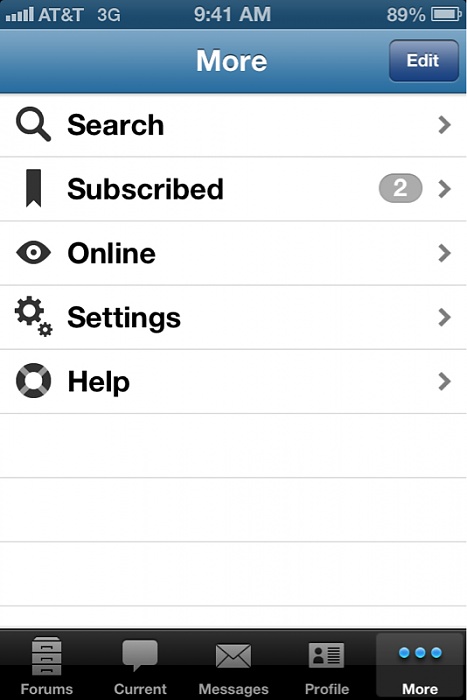
On that screen hit settings.
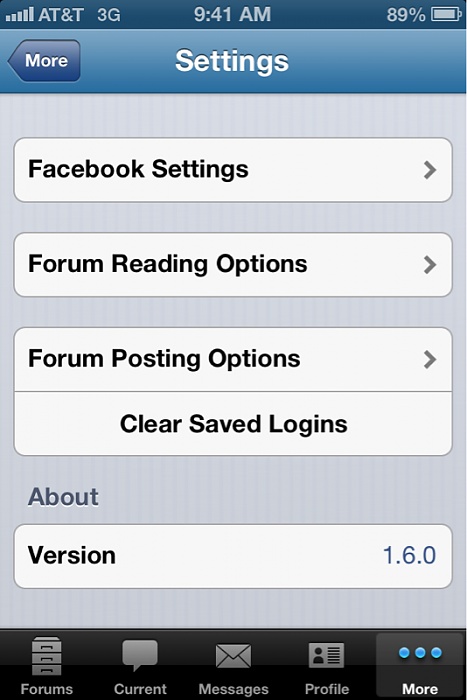
Then posting options.
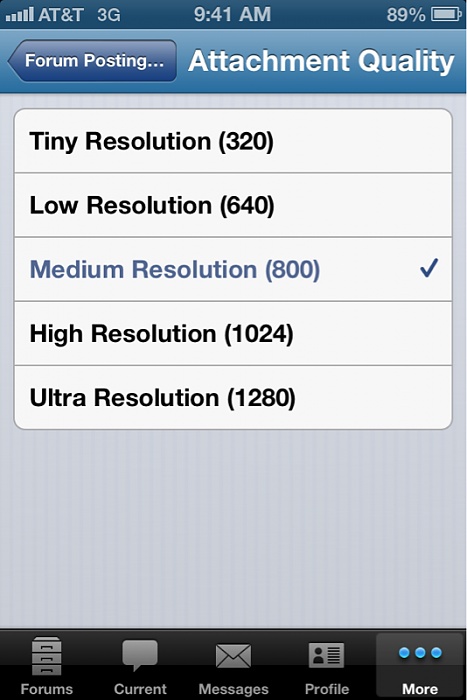
Then set to med quality.
Done. Should post fine.
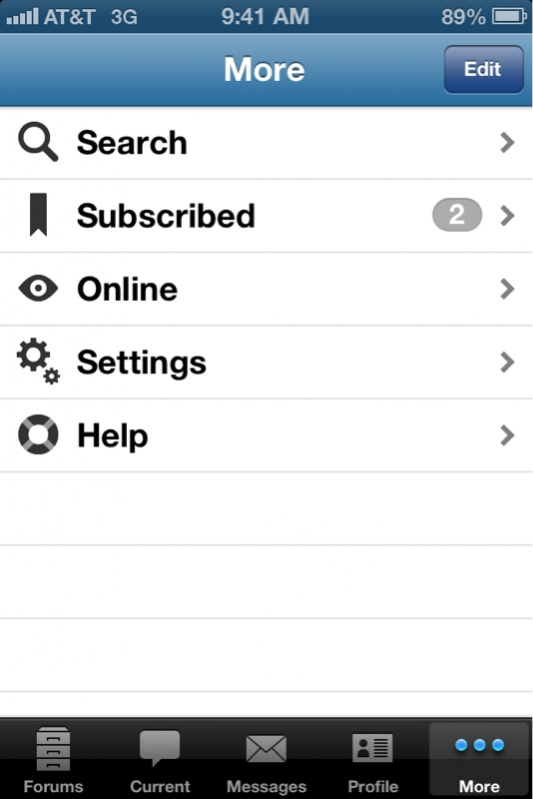
On that screen hit settings.

Then posting options.
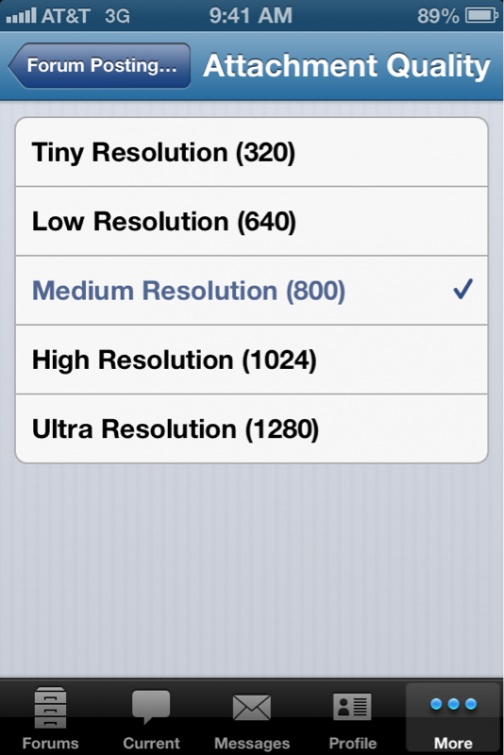
Then set to med quality.
Done. Should post fine.
::CF Administrator::
When uploading images and you get a security token message it is always due to the file or image size being to large.
CF Veteran
Quote:
That's why I have him the info to change it lolOriginally Posted by okcjeeper
When uploading images and you get a security token message it is always due to the file or image size being to large.
I appreciate the advice but just a couple of questions still:
1. I will change the settings in my iphone, however, I am not uploading them from my iphone. They have been imported from my iphone to my PC and then imported to the forum, this is when I have the issue. Just went into my forum settings and it is already set to medium (800)
2. If it is just a matter of the file being too large, how come I can upload images taken at any resolution from my digital camera and the forum resizes the image?
Thanks
1. I will change the settings in my iphone, however, I am not uploading them from my iphone. They have been imported from my iphone to my PC and then imported to the forum, this is when I have the issue. Just went into my forum settings and it is already set to medium (800)
2. If it is just a matter of the file being too large, how come I can upload images taken at any resolution from my digital camera and the forum resizes the image?
Thanks
CF Veteran
Quote:
1. I will change the settings in my iphone, however, I am not uploading them from my iphone. They have been imported from my iphone to my PC and then imported to the forum, this is when I have the issue. Just went into my forum settings and it is already set to medium (800)
2. If it is just a matter of the file being too large, how come I can upload images taken at any resolution from my digital camera and the forum resizes the image?
Thanks
ok well...Originally Posted by tobtech
I appreciate the advice but just a couple of questions still:1. I will change the settings in my iphone, however, I am not uploading them from my iphone. They have been imported from my iphone to my PC and then imported to the forum, this is when I have the issue. Just went into my forum settings and it is already set to medium (800)
2. If it is just a matter of the file being too large, how come I can upload images taken at any resolution from my digital camera and the forum resizes the image?
Thanks
lol
when you upload the pics to the pc via icloud email ect it uploads them at high res.
this is how i do it if from my pc and uploading gopro pics.
open pic in pic viewer.
click on options and open in ms paint.
re-size to 50%
save
try to upload again.

CF Veteran
I am having a issue with uploading also, Even with the best resolution when I upload from my phone the pics appear blurry and grainy .
Example Below, These are the same pic I'll upload one from my computer then the other from my phone.
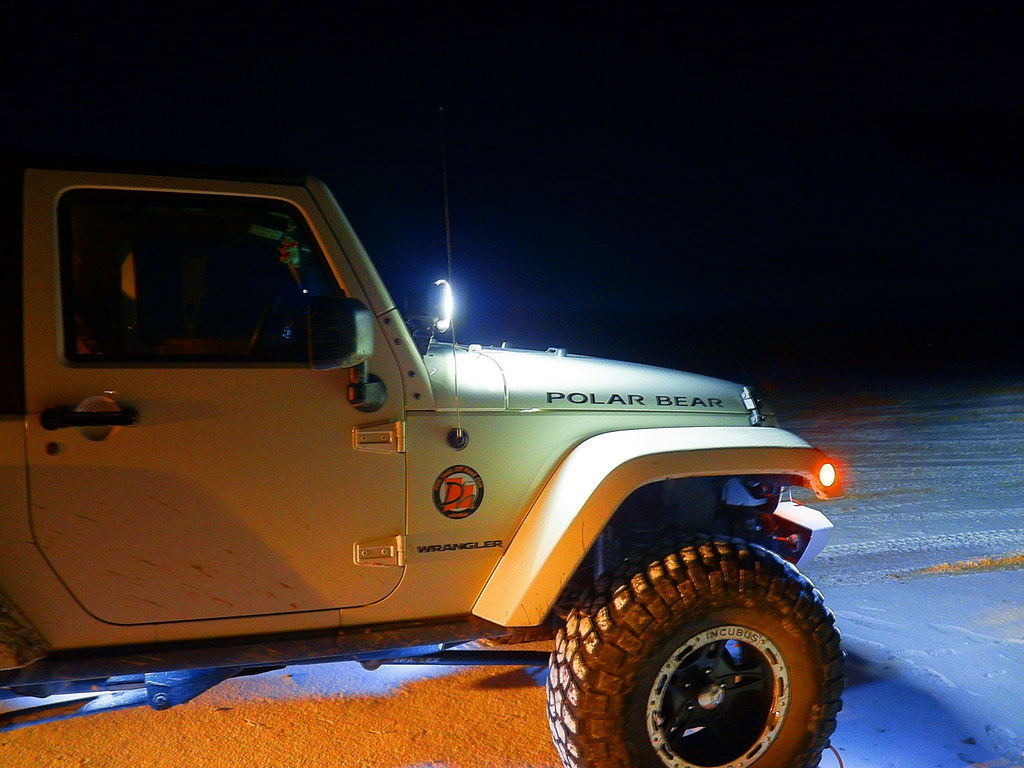 . And here is the same pic again after I changed the upload settings.
Example Below, These are the same pic I'll upload one from my computer then the other from my phone.
. And here is the same pic again after I changed the upload settings.