Jeep Grand Cherokee 1993-1998: Why is the Vehicle Information Center Not Working?
Getting the vehicle information center in your Jeep Grand Cherokee to work shouldn't lead you to the nearest mechanic. Here's how to fix the common problems all on your own.
This article applies to the Jeep Grand Cherokee ZJ (1993-1998).
In the past, some 1993 to 1998 Jeep Grand Cherokee owners have complained that their electronic vehicle information center (EVIC) has incorrectly indicated that their coolant sensor is bad, and therefore needed to be replaced. There are a number of reasons why this warning message might appear, and there are also several ways to troubleshoot and resolve the issue. Keep reading to learn the common problems that could affect your EVIC and some ways to check the system for compliance.

Materials Needed
- Replacement battery
- Flat head screwdriver
- Soldering kit
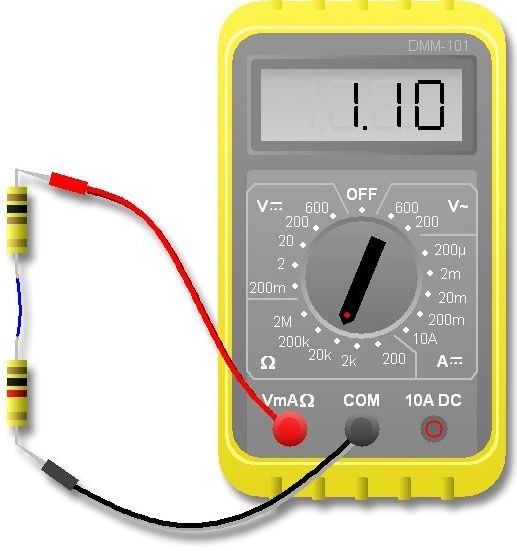
- Multimeter
- Torx bit
Step 1 – Test the EVIC
It might be malfunctioning.
To test your EVIC, you'll need to complete four simple actions from the cabin of your Jeep.
- Switch off your ignition using your valet key.
- Press down and hold the C/T and reset buttons on the EVIC system simultaneously.
- Using your valet key, turn the ignition back on.
- Continue to hold the buttons until the results of your test appear on the display.
- Confirm whether you've passed or failed the test as it appears on the display. It should read "Pass Self Test" or "Failed Self Test."
- If you pass the test, return to the computer display mode by once again pressing down on the reset button; it's not necessary to hold it.
- If you fail the test, have a professional mechanic or local Jeep dealer inspect your system; it's faulty and must be repaired or replaced.

Step 2 – Check the system's battery
It might be dead.
If your EVIC is not working, there is a good chance the cause is a dead battery. This is a simple and inexpensive repair that should immediately resolve the problem without the need for a professional mechanic.
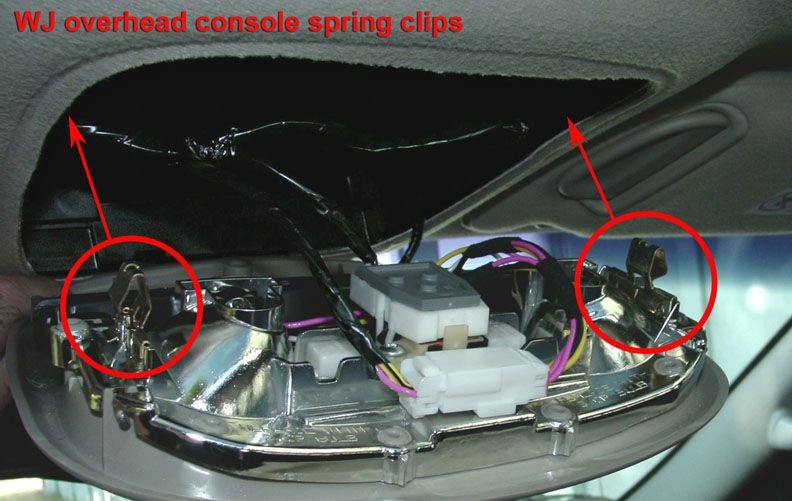
- Pry the console door open using a flat head screwdriver or your hands. There are two spring clips holding the console door in place.
- Once the console is open, remove the old battery and replace it with a fresh one.
- Close the console cover, and then start your system.
Step 3 – Replace the EVIC system
It might be faulty.
If you are receiving a "Coolant Sensor Bad" message, here's how to fix it.
- Unplug and remove the coolant level sensor located in the overflow tank (not the engine).
- Test the resistance of the sensor using a multimeter. You should get a reading of 3.3k ohms.
- First connect the multimeter's black lead to the contact sensor. Then place the other lead against the battery terminal. You should get a reading of 0 ohms.
- Re-install the contact sensor.
- Next, look under the driver's side dashboard for a cover. It is located near your ECM's data link connector.
- Remove the cover to access the orange and white connector.
- Then find a pink wire joined by a black stripe wire.
- Measure the resistance of the wire. You should get a reading of 3.3k ohms, which indicates you have sufficient coolant in your reserve reservoir.
- Remove and disconnect the EVIC from the dash, which will involve removing the glove box and surrounding panels.
- Move to a work bench so you can safety open up the system and work; you'll need a Torx bit to do this.
- Remove the circuit board.
- Now, match the pink and black stripe wire on your connector to the circuit board via the pin you see.
- Inspect the circuit board's contact point. If it's damaged, solder the joints together.
Related Discussion
- Vehicle Information Center Dead - CherokeeForum.com