
Lets resize some pictures so we can host them. There are a few ways to achieve this.
Microsoft Resize tool
A: Microsoft has a free tool that lets you resize with a few simple clicks in Windows XP.
Here is a walkthrough on how to use it. Its VERY simple.
1.Open the folder that contains the pictures you want to resize. In Thumbnail view, right-click any picture you want to resize, and click Resize Pictures.

2.In the Resize Pictures dialog box, click the size you want your photo to be, and click OK. In general, Small is a good selection for most of your needs, such as e-mailing pictures or posting them to a Web site.

3.The original file, flowers.jpg, is still intact; and a new, resized file, named flowers (Small).jpg, has been added to the same folder.

Photobucket Resizing
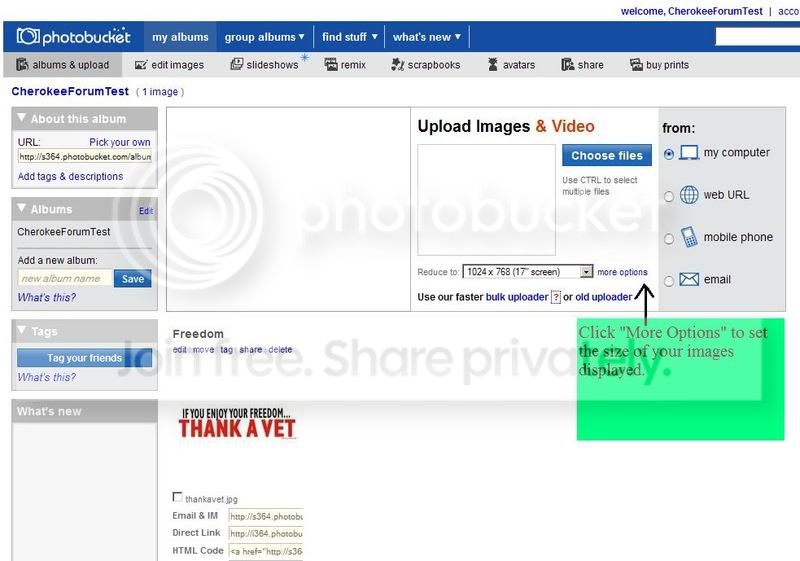
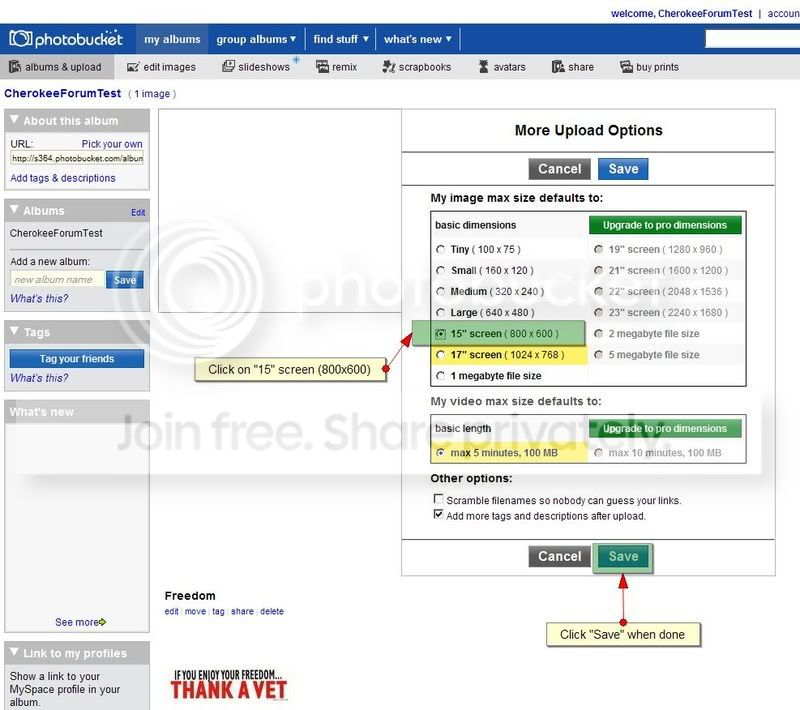
B. Resize the image hosted in photobucket. You can set the size that you want all images to display at when you share them within Photobucket.
Microsoft Resize tool
A: Microsoft has a free tool that lets you resize with a few simple clicks in Windows XP.
Here is a walkthrough on how to use it. Its VERY simple.
1.Open the folder that contains the pictures you want to resize. In Thumbnail view, right-click any picture you want to resize, and click Resize Pictures.
2.In the Resize Pictures dialog box, click the size you want your photo to be, and click OK. In general, Small is a good selection for most of your needs, such as e-mailing pictures or posting them to a Web site.
3.The original file, flowers.jpg, is still intact; and a new, resized file, named flowers (Small).jpg, has been added to the same folder.
Photobucket Resizing
B. Resize the image hosted in photobucket. You can set the size that you want all images to display at when you share them within Photobucket.
How do I host pictures and then post them?
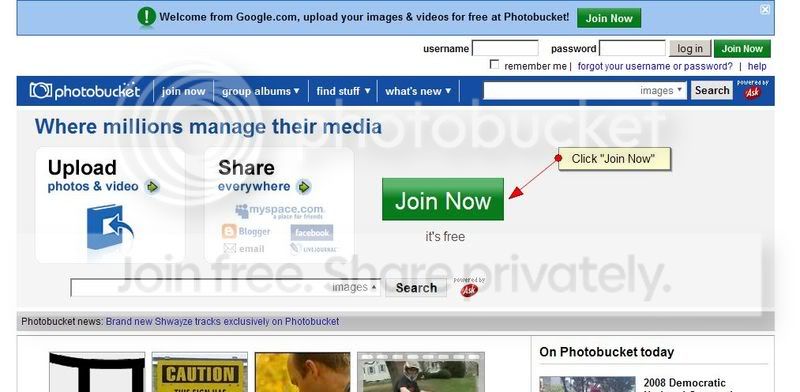
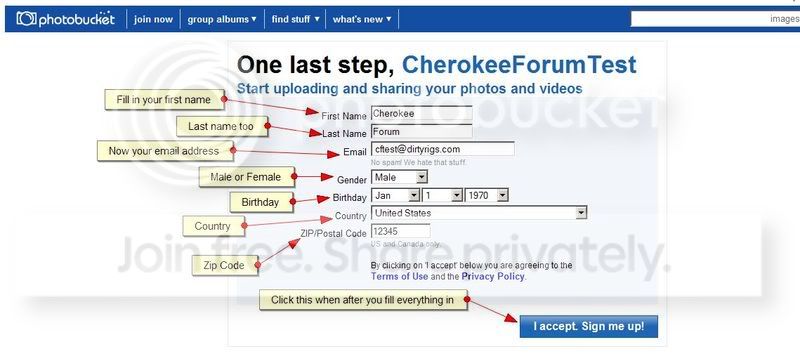
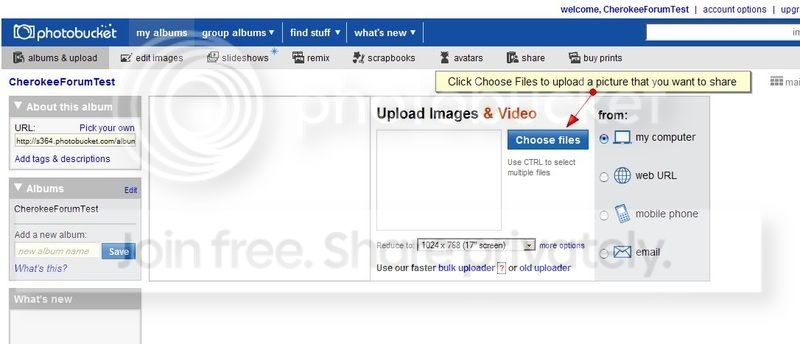
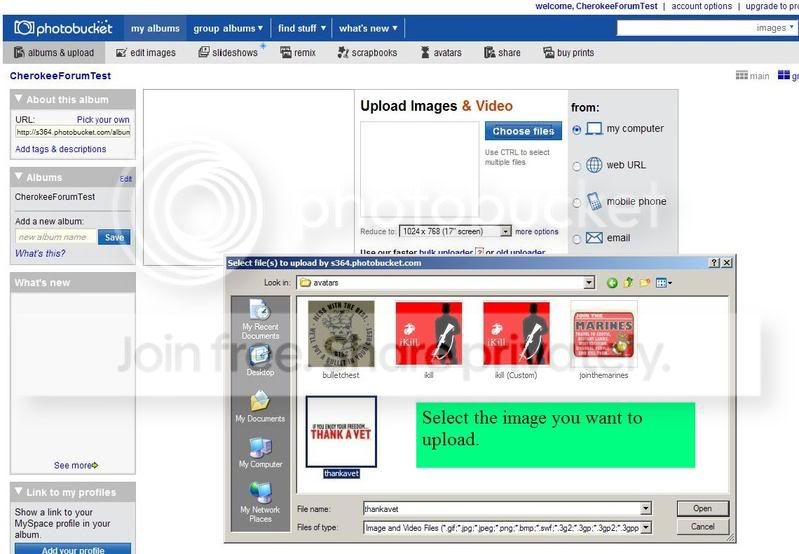
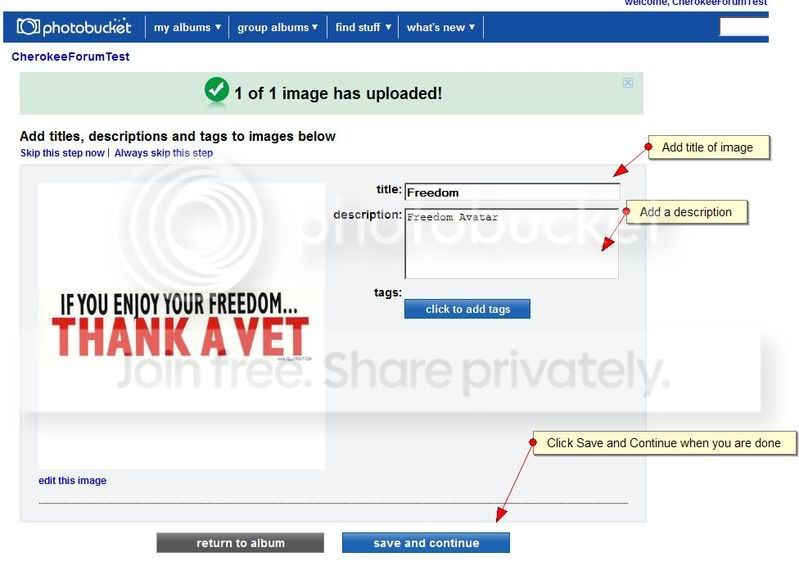
Goto http://photobucket.com/ and sign up for an account. Then upload the pictures you want to share. Its easy!
1
2

3
4

5
6
7
8
9
10
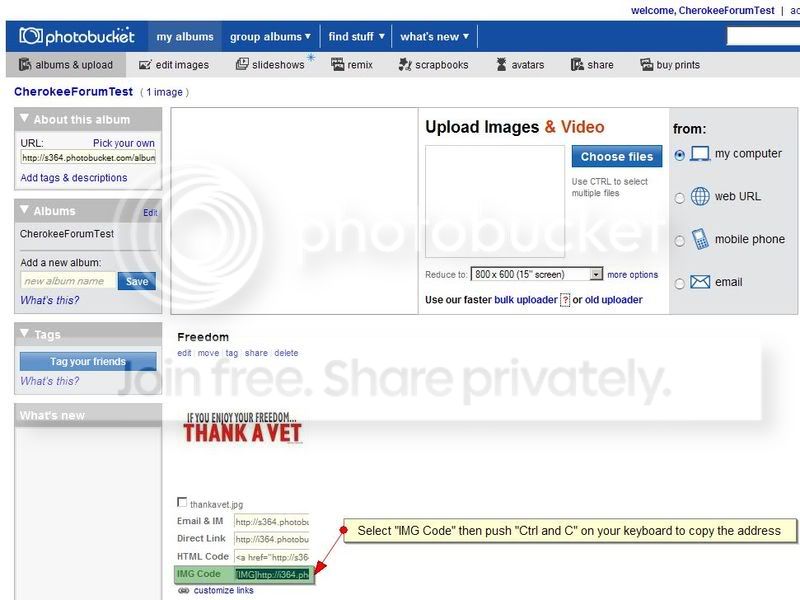
11
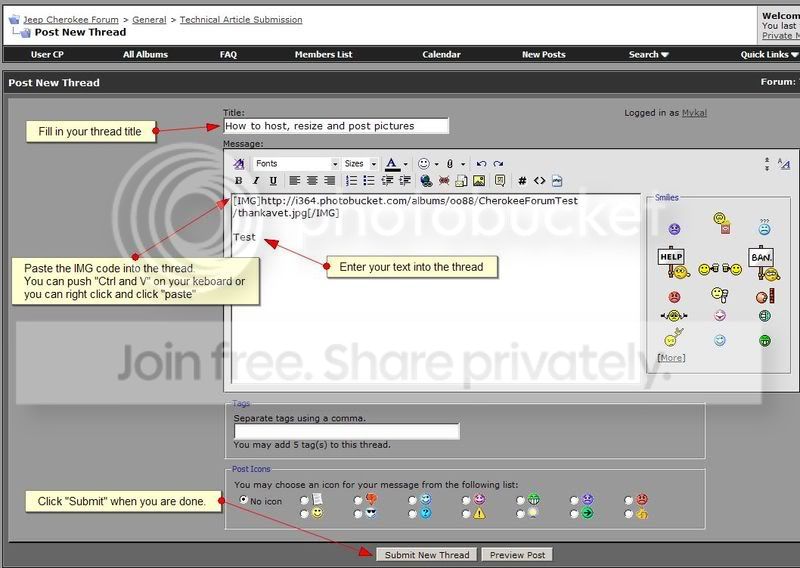
12

Thats It! Your done!
Goto http://photobucket.com/ and sign up for an account. Then upload the pictures you want to share. Its easy!
1
2
3
4
5
6
7
8
9
10
11
12
Thats It! Your done!

CF Veteran
CherokeeForum.com has a lot of great information. Sometimes the best way to get at that information is through a good search. Here are some steps in order to make an effective search.
Basically you have two types of Search, a Quick Search and an Advanced Search.
Quick Search
If you want to do a quick Search you can just click the word Search in the header bar and then enter the word or words that you want to search on and then press the 'Go' button.

Advanced Search
An Advanced Search though can be a great way to find the information you need. You click on the word Search in the header bar then click on the 'Advanced Search' link which is under the Search box. This will take you to the Advanced Search screen where you can enter more specific criteria on what you would like to search on.

You can search by a lot of different criteria with an advanced search. Some of the popular criteria are Key Words, user name, tags, or search in a specific forum.
Hope this helps!
Written by JonF
Basically you have two types of Search, a Quick Search and an Advanced Search.
Quick Search
If you want to do a quick Search you can just click the word Search in the header bar and then enter the word or words that you want to search on and then press the 'Go' button.
Advanced Search
An Advanced Search though can be a great way to find the information you need. You click on the word Search in the header bar then click on the 'Advanced Search' link which is under the Search box. This will take you to the Advanced Search screen where you can enter more specific criteria on what you would like to search on.
You can search by a lot of different criteria with an advanced search. Some of the popular criteria are Key Words, user name, tags, or search in a specific forum.
Hope this helps!
Written by JonF