When you click on links to various merchants on this site and make a purchase, this can result in this site earning a commission. Affiliate programs and affiliations include, but are not limited to, the eBay Partner Network.
Cherokee XJ: Add Bluetooth / USB / AUX in the Original Car Radio
Stock XJ Cherokee Tech. All XJ Non-modified/stock questions go hereXJ (84-01)
All OEM related XJ specific tech. Examples, no start, general maintenance or anything that's stock.
Cherokee XJ: Add Bluetooth / USB / AUX in the Original Car Radio
Hello,
I have a non-modified Jeep Cherokee XJ (1999 Europe model) and I would like to ask if there is an option to add a Bluetooth, USB, or AUX receiver to listen to the music from my smartphone. There is a CD button on the Car Radio which does nothing because there is no CD driver and I was hoping if I could "change" this CD button into a custom Bluetooth / USB or AUX button.
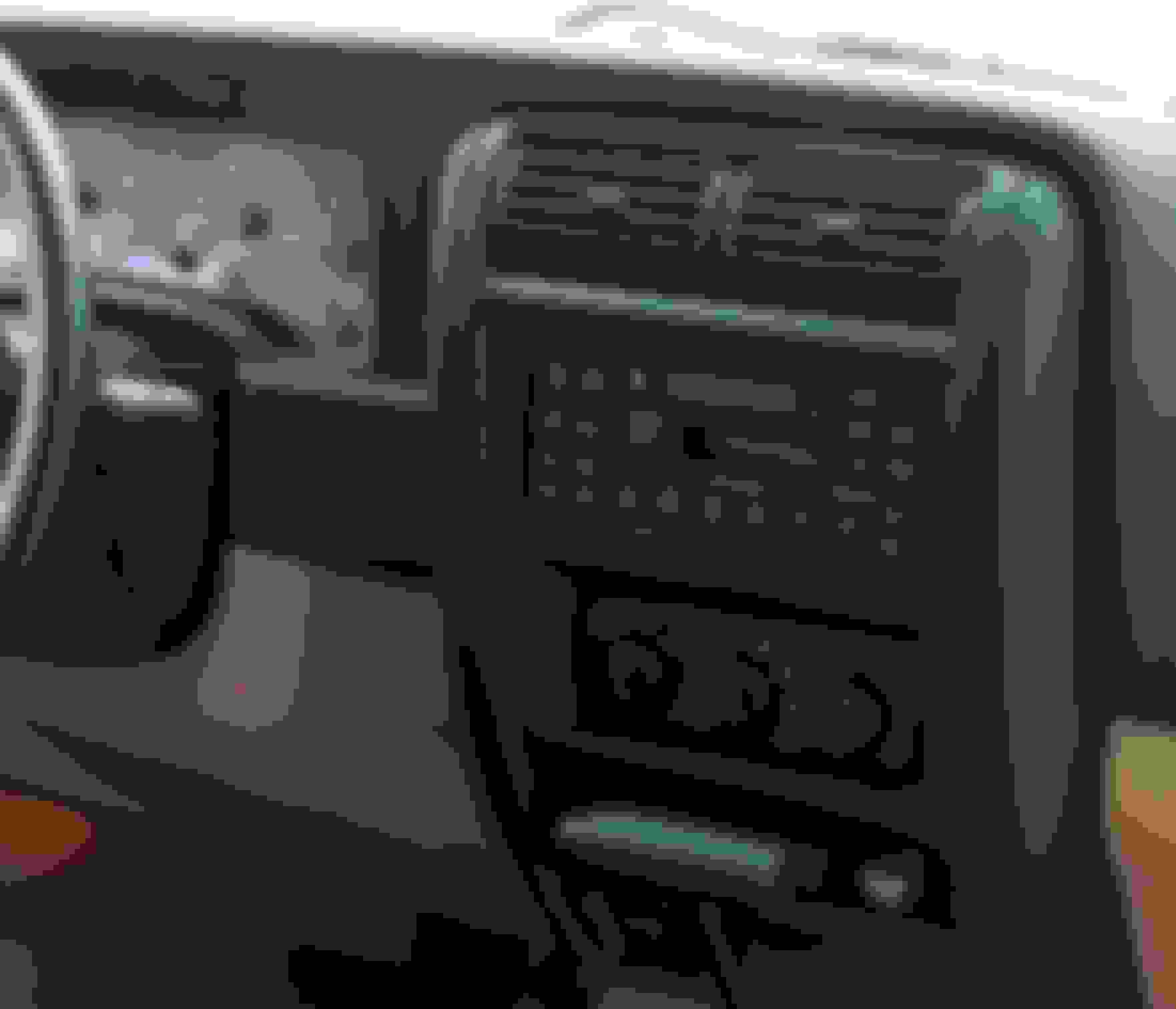
Below what my original car radio looks like behind the dashboard.
Also what my car radio looks like from the front (this is not my car):
Thanks!
Last edited by nickmanis; Jan 6, 2019 at 07:51 AM.
I'm using a bluetooth cassette adapter in my 95. Works really well. Not as convenient as a built in bluetooth reciever since you have to charge it sometimes but it let me keep my factory head unit.
I know a company called Parrot sells Bluetooth kits that plug into the factory wiring harnesses. You simply mount the control "pod" to your dash using Velcro or 3M double-sided tape, and then connect that to your factory radio's wiring harness, run the microphone (mic.), and then plug the wiring harness that came with the Parrot kit into the back of your Jeep's factory radio.
Somewhere, I believed I read that the North American / Europe model radios don't work so well in the others region. Also, if you install a 3.5mm AUX, it doesn't necessarily have to have the jack mounted on the face of the radio. Depending on how long the wires are, you can mount it just about anywhere in the Jeep. Or just have the wires dangling down in the foot well & plug it in as needed.
I just did this mod to my 92’ XJ and it works great, the audio is much better than the casette adapter setup I was using before. I like the original head unit look and feel so replacing it to add aux wasn’t something I wanted to do.
Like it was mentioned, be careful when soldering your wires onto the test pins located near the volume control, I was fortunate that the wire I was soldering on had just cooled to one of the pine before the pin itself desoldered from the board, I could tell the pin was free from the board but was able to hold it in place by the wire while it cooled. It would be help to have someone hold the pin with some very small needle nose while you solder, or just use a connector.
As far as the wire, some super cheap aux cables you pull from other devices such as headphones may have wires that are too small of a gauge to really work with or have a painted on insulation. I found a 6ft ONN Aux cord from Walmart with a braided sleeve that had a nice shield inside and some decent L/R wires inside. I got off one plug end of the cord, cut away some of the outside braid and stripped the main insulation. Now were looking at a braided shield which I fished the L/R wires through the shield braid at the base of where I stripped away the main insulation so that I could twist the shield together into a wire then clamp that between a washer at the back of the radio where another ground is located.
For dealing with interference I used something I learned while I had the cassette adapter setup, you can buy clip on ferrite beads online where you loop your aux cord a couple times then clip the bead onto the loop to stop RF interference. There may be differences in the composition of the ferrite you’ll have to research but I just took a guess and bought what was on Amazon and it seems to work. The aux cord acts as an antenna and I guess the electronic aren’t present in these older radios to deal with that.



 Cherokee XJ: Add Bluetooth / USB / AUX in the Original Car Radio